Back to All Features Education

Curriculum and lessons, finally organized.

A searchable lesson library plus fair teacher scheduling for Sunday school and kids ministry — so every class is prepared, every teacher is supported, and no one burns out.

30-day full Pro trial · No credit card

Lesson Library

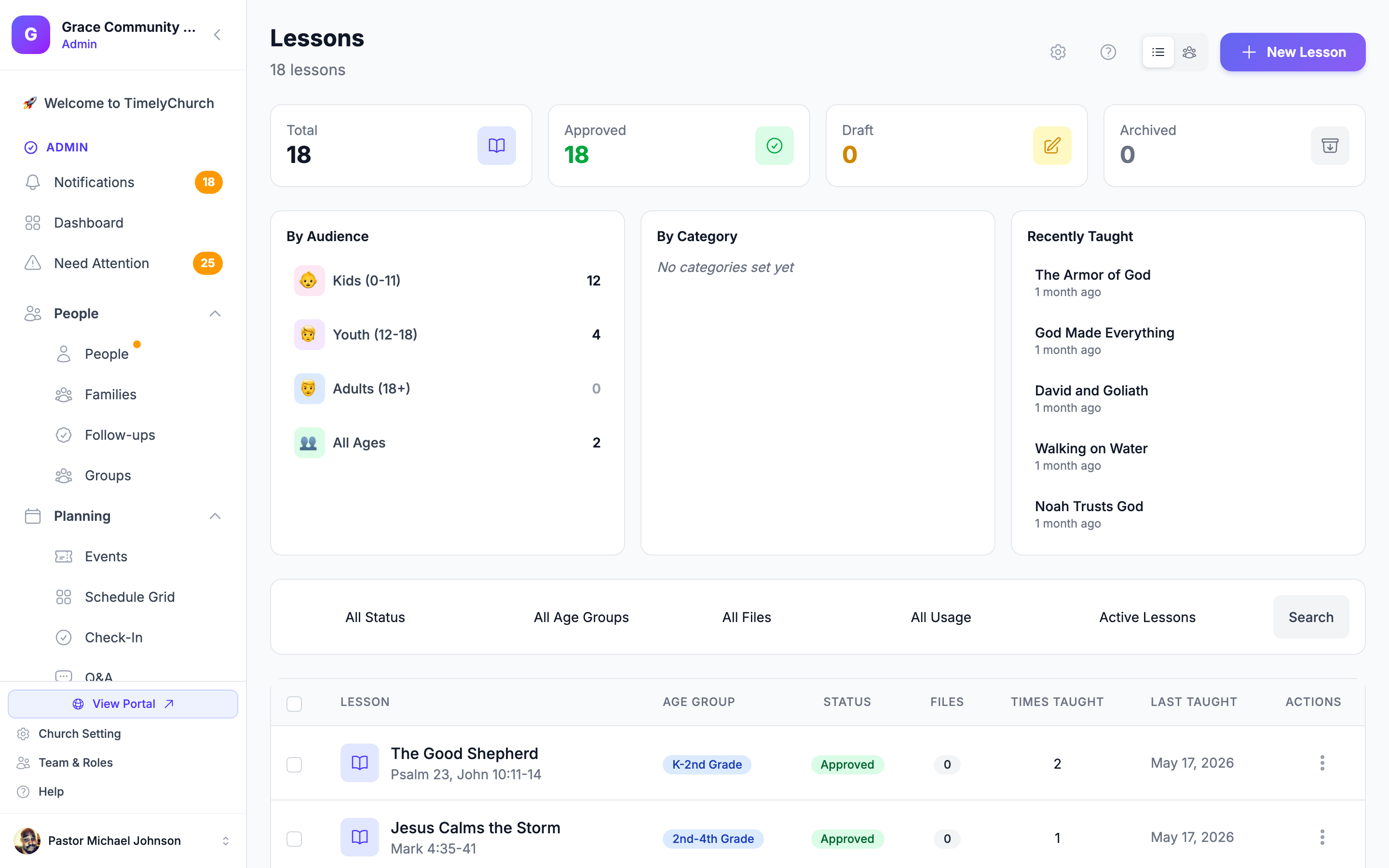
A searchable lesson library your whole team can use

Every lesson lives in one place — tagged by scripture, age group, and topic so teachers find what they need in seconds, not minutes of scrolling a shared folder.

  • Rich lesson details

    Each lesson stores the scripture reference, age group, learning objectives, memory verse, and a supplies list — everything a teacher needs before Sunday morning.

  • Filter by age group or series

    Narrow by nursery, preschool, elementary, or middle school. Group lessons into multi-week series and track where you are in each curriculum.

  • Reuse and clone lessons

    Duplicating a previous year's lesson takes one click. Adjust the scripture or objectives and it's ready to teach again — your library gets richer over time.

app.timelychurch.com/lessons
Sunday school lesson list filtered by age group showing scripture, objectives, and memory verse fields
app.timelychurch.com/lessons
Lesson detail page showing attached PDF teacher guide, video link, and discussion question fields
Resources & Media

Attach teacher guides, videos, and discussion questions

Stop emailing PDFs every week. Every file a teacher needs is attached directly to the lesson and accessible from any device before class starts.

  • Upload any file type

    Attach printable teacher guides, coloring sheets, activity pages, or slide decks — stored directly on the lesson so nothing gets lost in an inbox.

  • Link intro or story videos

    Paste a link to a teaching video or opening story clip. Teachers open it from the lesson page — no searching YouTube on Sunday morning.

  • Built-in discussion questions

    Write discussion questions directly in the lesson editor. Teachers review them ahead of class and can follow the structured flow without a separate prep document.

Teacher Scheduling

Schedule teachers fairly, with automatic rotation

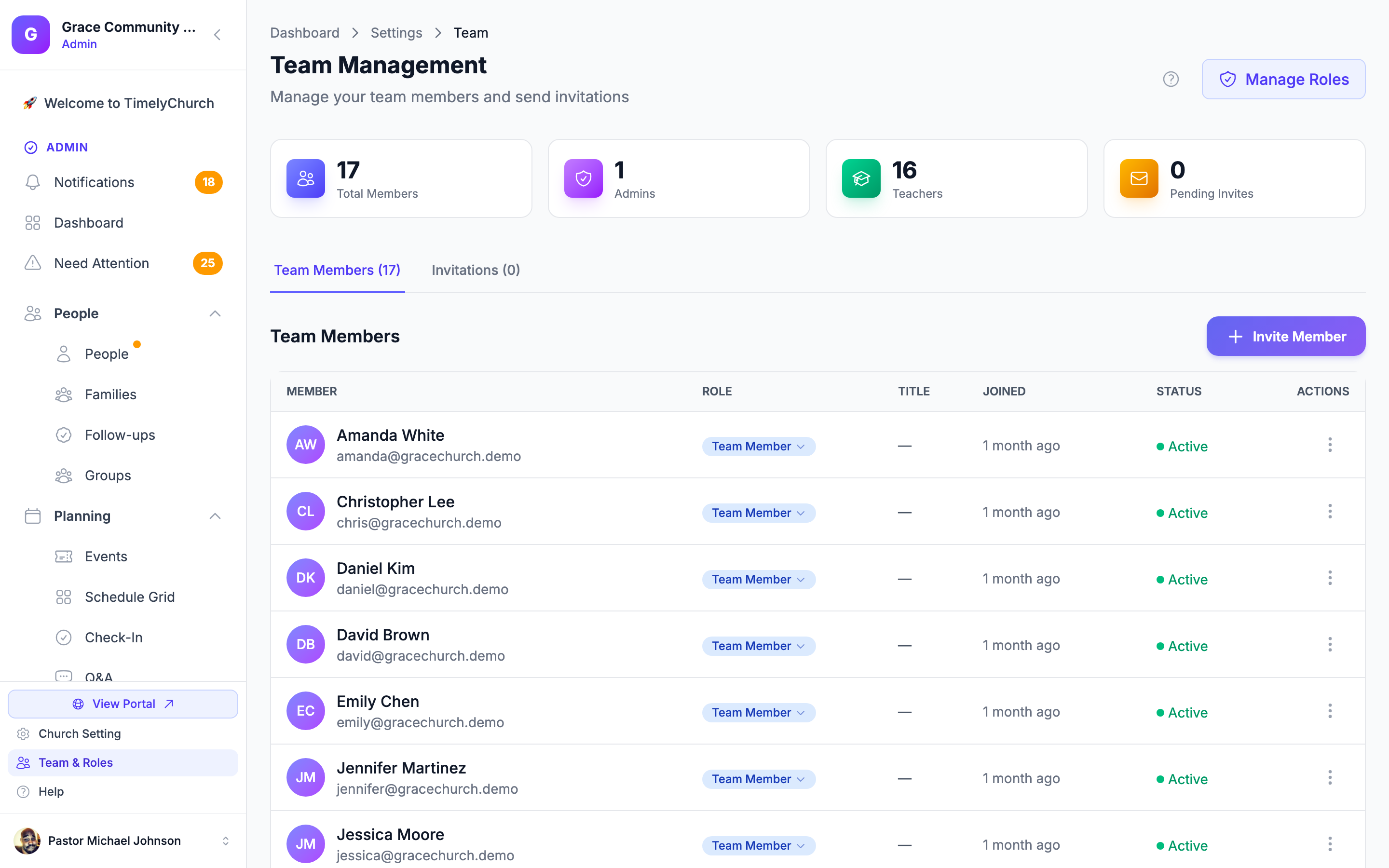
No more asking the same three volunteers every week. Fair-rotation scheduling distributes teaching assignments evenly across your team and makes finding a substitute straightforward.

  • Fair-rotation auto-scheduling

    The system tracks who taught last and suggests the next teacher in the rotation so the workload is shared across the whole volunteer pool automatically.

  • Substitute requests

    Teachers can flag when they cannot make it and the admin is notified to reassign — no scrambling by text thread the night before.

  • Automated schedule reminders

    Scheduled teachers receive an automatic reminder with their lesson details before Sunday — they arrive prepared, not surprised.

app.timelychurch.com/teams
Team members scheduling view showing Sunday school teacher rotation assignments by date
app.timelychurch.com/lessons
Lesson parent summary editor showing lesson recap text and at-home activity field ready to send to families
Parent Communication

Send parents a lesson recap that extends learning at home

When Sunday ends, parents can know exactly what their child learned — and have a simple activity to continue the conversation at the dinner table that week.

  • One-click lesson recap

    The teacher or admin publishes a brief lesson summary after class. Families receive it immediately through the member portal notification — no separate newsletter tool needed.

  • At-home activity included

    Include a simple conversation starter or activity tied to the lesson theme. Parents get a ready-to-use prompt without any extra preparation on your end.

  • Reaches the right families

    Summaries are scoped to the class — preschool parents get the preschool recap, elementary parents get theirs. No one gets irrelevant updates.

Teaching History

See exactly what's been taught and how often

No more guessing whether a lesson series has been covered recently or relying on a teacher's memory. The teach history is right there, tied to attendance, so you can plan curriculum with confidence.

  • Lesson teach counts

    Each lesson shows the number of times it has been taught and the most recent date — so you know which lessons are overdue for rotation and which have been covered too recently.

  • Attendance linked to each session

    See how many children attended each taught session. Spot lower-attendance patterns by class or date so ministry leaders can investigate and respond.

  • Full curriculum history

    Review every lesson delivered in the past year, who taught it, and the attendance for that session. Your complete curriculum record is always a search away.

app.timelychurch.com/lessons
Lesson teaching history table showing dates taught, teacher names, and attendance count per session

Lessons is one piece of an all-in-one platform

Everything your church needs lives in a single place — no integrations, no copy-paste between tools.

Included in the Growth plan

Lesson management is part of Growth — at $49/month

The full lesson library, teacher scheduling, parent summaries, and teach history come with the Growth plan. No add-ons. No per-user fees. Start your 30-day full Pro trial for free — no credit card required.

30-day full Pro trial · No credit card · Cancel anytime