Volunteer Scheduling

Stop Chasing Volunteers
Every Week

It’s Thursday night and you’re scrolling the group text again. Who’s on sound this Sunday? Who actually confirmed? And why is it always the same five people saying yes? There’s a calmer way.

app.timelychurch.com/schedule
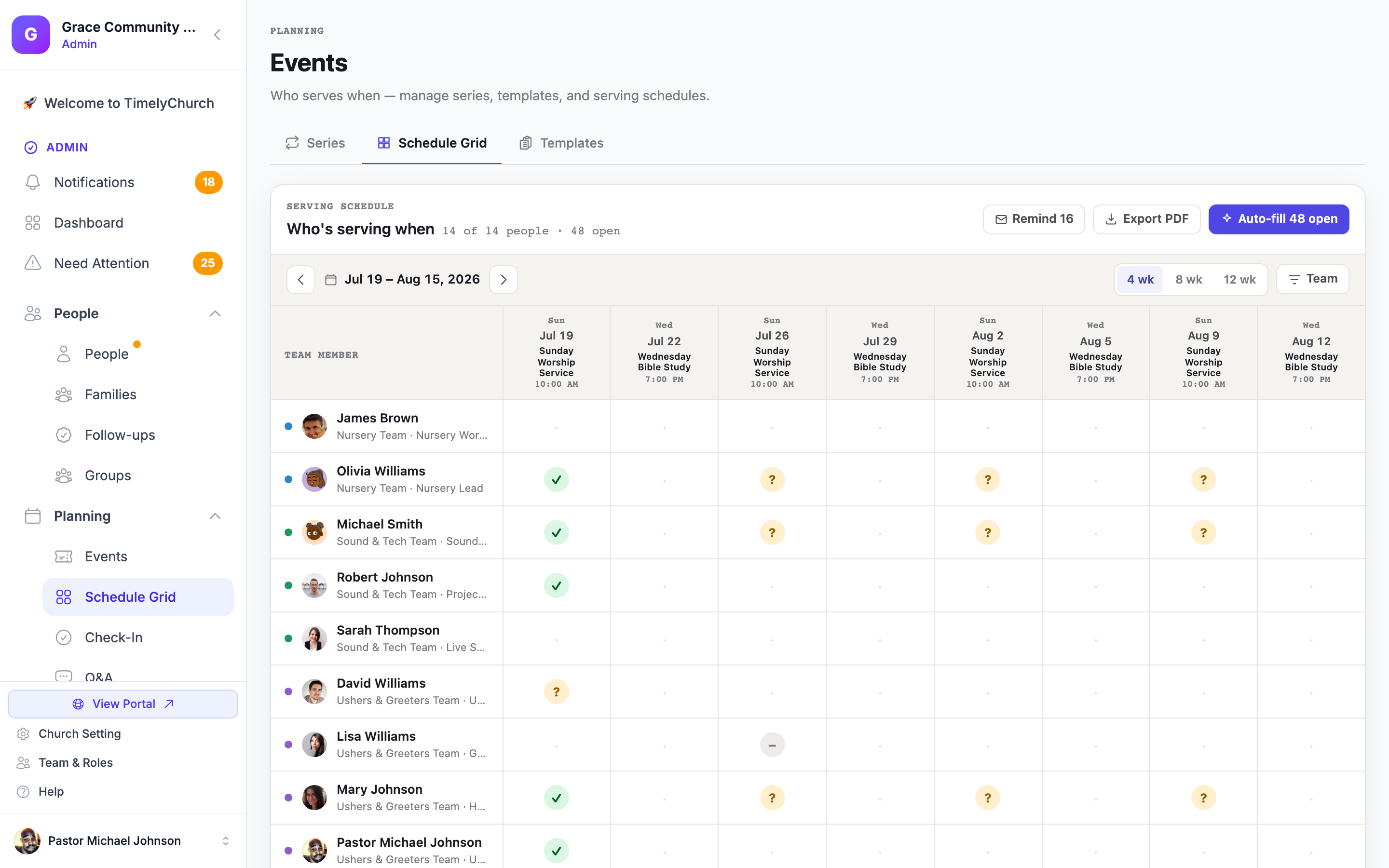
TimelyChurch Schedule Grid showing a month of serving slots across teams with confirmed, declined, and pending statuses

What the Weekly Scramble Is Really Costing You

It’s not just your Thursday nights. The chase has a price, and your team is paying it too.

Hours of Texting

“Are you still good for Sunday?” — sent one person at a time, every single week.

Sunday-Morning No-Shows

Nobody at the soundboard at 8:45. You find out when the seat is empty — not before.

The Awkward Last-Minute Ask

Saturday-night calls that start with “I’m so sorry to do this to you again…”

The Faithful Few Burning Out

The same people carry every week — until one day they quietly stop volunteering at all.

Now Imagine Thursday Night Looks Like This

You open one screen. Every serving slot for the month is right there — every team, every Sunday. Confirmed slots are settled. Open ones are obvious. Nothing surprises you on Sunday morning, because you saw it all on Thursday.

Confirmed ? Pending Declined — needs a sub

Whether you are the whole scheduling department or you coordinate ten teams — the grid works the same way.

How TimelyChurch Ends the Chase

One grid, a fair rotation, and volunteers who answer with a single tap.

The Schedule Grid

Your Whole Month on One Screen

The Schedule Grid — the one in the screenshot above — lays out every serving slot across the coming weeks: every team, every position, side by side. Each cell shows its status at a glance, so gaps stand out before they become Sunday-morning surprises and you fix them on your schedule, not in a panic.

  • Every team and every week, side by side
  • ✓ confirmed / ✗ declined / ? pending in each cell
  • Open slots are obvious weeks ahead, not hours ahead
app.timelychurch.com/events
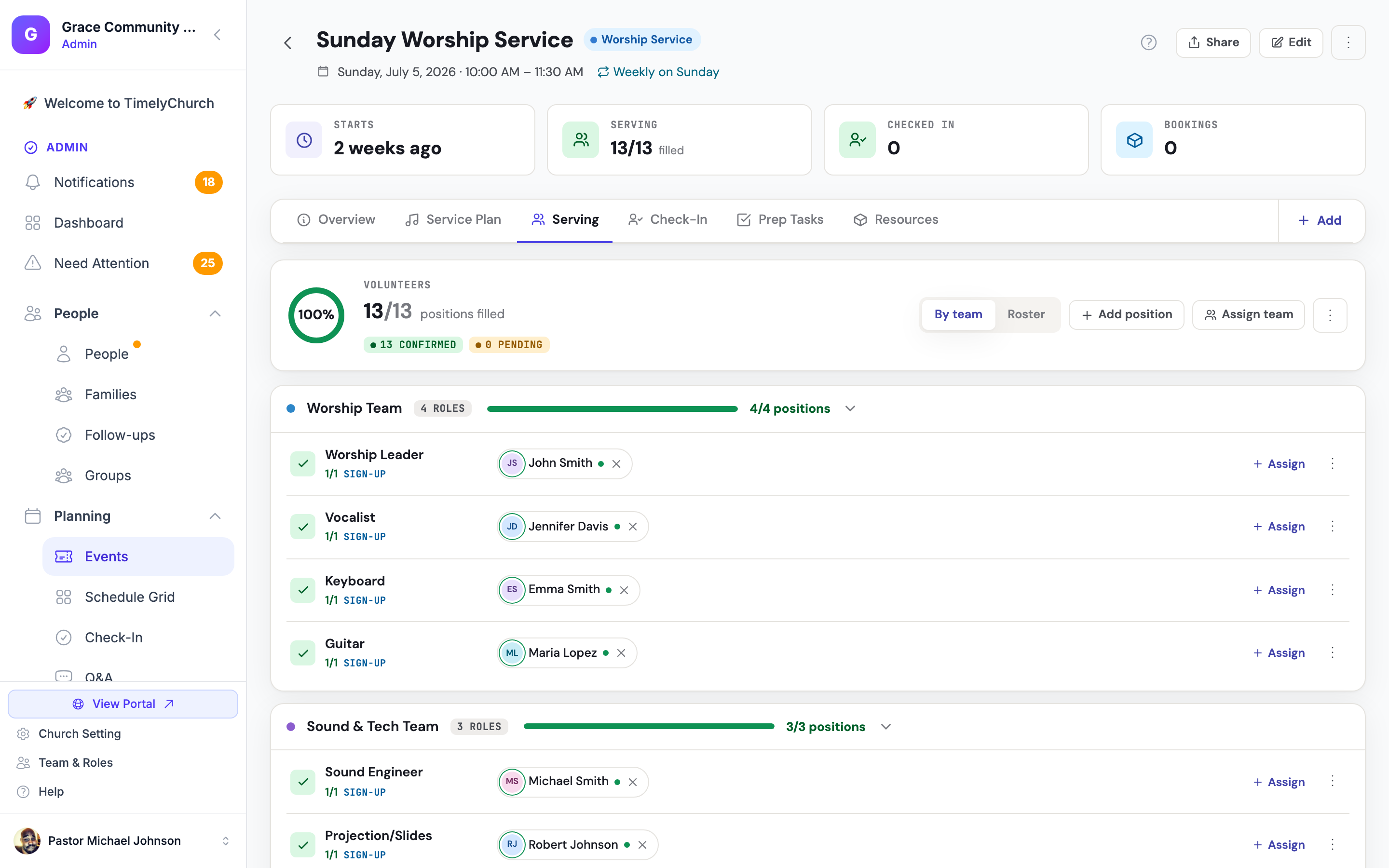
Event serving tab showing a Sunday service with all 13 of 13 volunteer positions filled
One-Click Auto-Fill

A Fair Rotation, So Nobody Burns Out

One click fills the open slots from your team roster — and it fills them fairly. Auto-fill spreads serving evenly instead of leaning on whoever said yes last time, so the load stops landing on the same faithful few. This is what it builds: a Sunday with every position covered, 13 of 13.

  • One click schedules weeks — or a whole month — ahead
  • Rotation accounts for who served recently and how often
  • You can still hand-place anyone, anywhere
Telegram Confirmations

Volunteers Answer With One Tap — You Stop Being the Middleman

When someone is scheduled, the ask goes straight to their Telegram — the chat app already on their phone. They tap Yes, No, or Snooze, and the answer flows back into the grid on its own. No group text. No “did you see my message?” Volunteers without Telegram can accept or decline from a link in their email instead.

  • Yes / No / Snooze, right inside Telegram
  • Replies update the grid automatically
  • Email accept/decline links for everyone else
  • Reminders arrive in your church’s local time
Learn more about Telegram integration

How the round trip works

  1. 1

    The ask lands in Telegram

    “You’re scheduled for Sound on Sunday, June 14. Can you serve?”

  2. 2

    One tap: Yes / No / Snooze

    No app to install, no login to remember — just an answer.

  3. 3

    The grid updates itself

    The cell flips to ✓ or ✗ — and a declined slot can be offered to the next eligible teammate automatically.

app.timelychurch.com/schedule
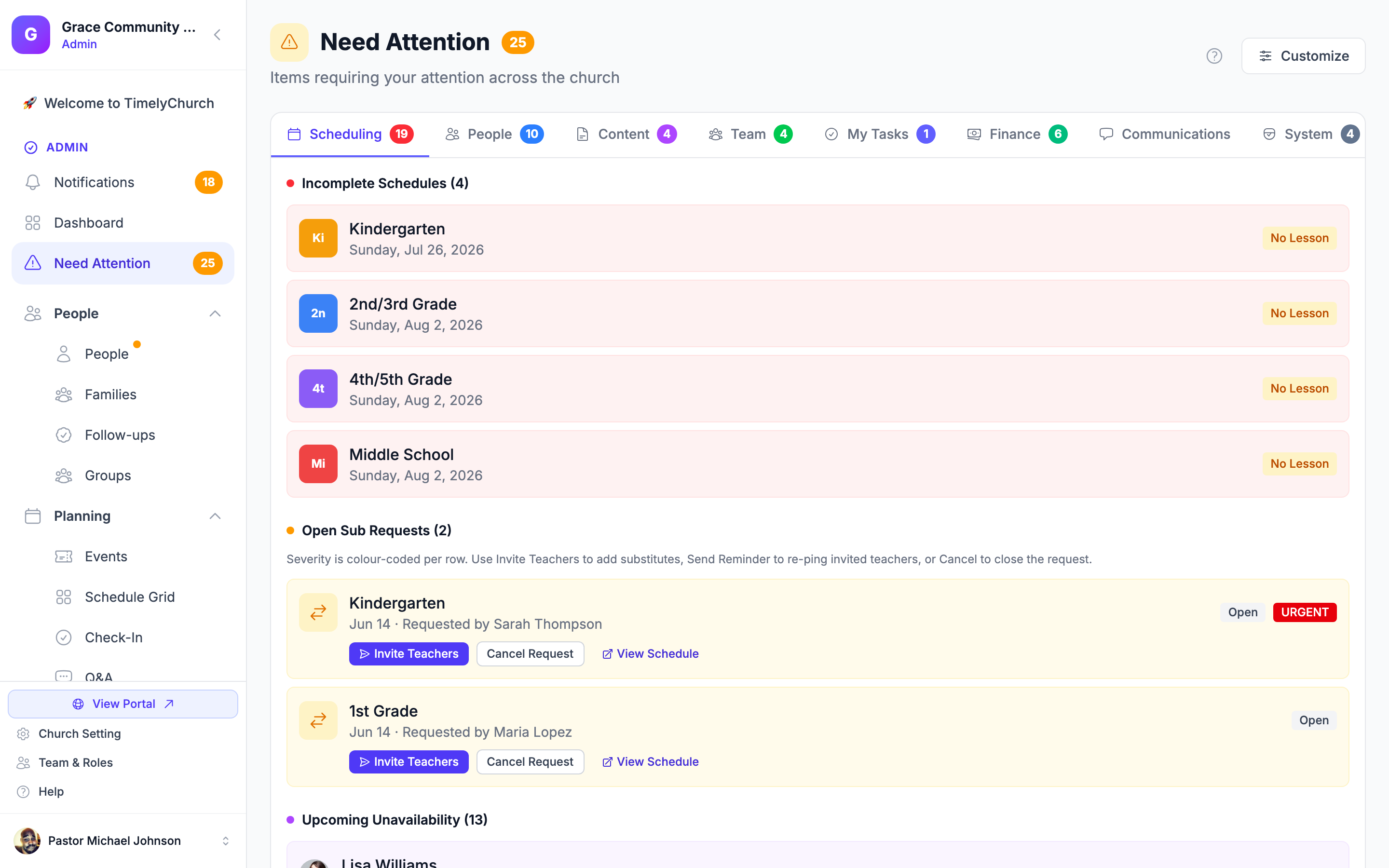
Needs-attention view listing open serving slots and sub requests for the next 30 days
Availability & Sub Requests

Life Happens. The Schedule Absorbs It.

Volunteers mark the dates they’re away, so they never get scheduled over a vacation in the first place. When something comes up after they’re scheduled, they request a sub themselves — and the open slot is offered to eligible teammates. Your “needs attention” view is the radar: everything unresolved in the next 30 days, on one screen, instead of buried in your inbox.

  • Volunteers mark themselves unavailable ahead of time
  • Open slots offered to eligible teammates — not just whoever you think of first
  • One radar for everything needing your attention

Schedule Templates

Build your standard Sunday once — every team, every position — then apply it to a whole quarter in one go. Stop rebuilding the same schedule from scratch every month.

Print & PDF

Some of your team lives on paper — and that’s fine. Print the schedule or save it as a PDF for the bulletin board, so everyone sees the same plan either way.

Reminders That Just Happen

Volunteers get reminded automatically before they serve, in your church’s local time — so “I forgot” stops being a Sunday-morning surprise.

One Screen. The Whole Month. No Chasing.

This is the actual Schedule Grid — a real screenshot from TimelyChurch, not a mockup. Every capability on this page is in the product today.

app.timelychurch.com/schedule
Full view of the TimelyChurch Schedule Grid with a month of serving assignments across every team

Scheduling comes with the rest of TimelyChurch — people, teams, events, check-in, and more — so nothing lives in a separate tool. See plans & pricing →

Take Back Your Thursday Nights

Set up your teams, open the grid, and let this Sunday fill itself. Start free — no card required.

See plans & pricing →