A church database holds things a business database never does — a family’s prayer request, a child’s allergy, a widow’s giving history. This page explains, plainly, how TimelyChurch protects it. Written for pastors, boards, and trustees deciding whether to say yes.
Written to be shared. If your board or trustees are evaluating church software, send them this page — it answers the questions they will ask.
No jargon, no vague promises. Here is what protecting your congregation actually looks like inside TimelyChurch.
Member privacy by default
The directory starts off. Members choose what to share.
Child safety built in
Security codes, matched pickup, allergy alerts at check-in.
Real access control
Each role sees only what their ministry needs. Nothing more.
Security as practice
Audited module by module. Isolated data. Payments by Stripe.
Most church software assumes everyone wants to be in the directory. We assume the opposite. In TimelyChurch, nothing about a member is visible to the congregation until it is deliberately shared — by the church, and by the member themselves.
For every church, the congregation-wide member directory is off by default. No new church accidentally publishes its people to each other. If your church wants a directory, you ask us to enable it — a deliberate decision, not a checkbox someone missed during setup.
Even when a directory is enabled, each member decides what appears — phone, email, address, photo. Sharing is per-person consent, not an all-or-nothing switch flipped by the office. A member who wants to stay private simply stays private.
Minors’ contact details are never shown publicly — not in a directory, not in the member portal, not on people widgets your church puts on its website. That rule is enforced by the software itself, so it does not depend on a volunteer remembering a setting.
GDPR-style rights are built in: your church can export its data, and members can have their information deleted on request. If you ever leave TimelyChurch, your records leave with you. A church should never feel locked in by its own membership list.
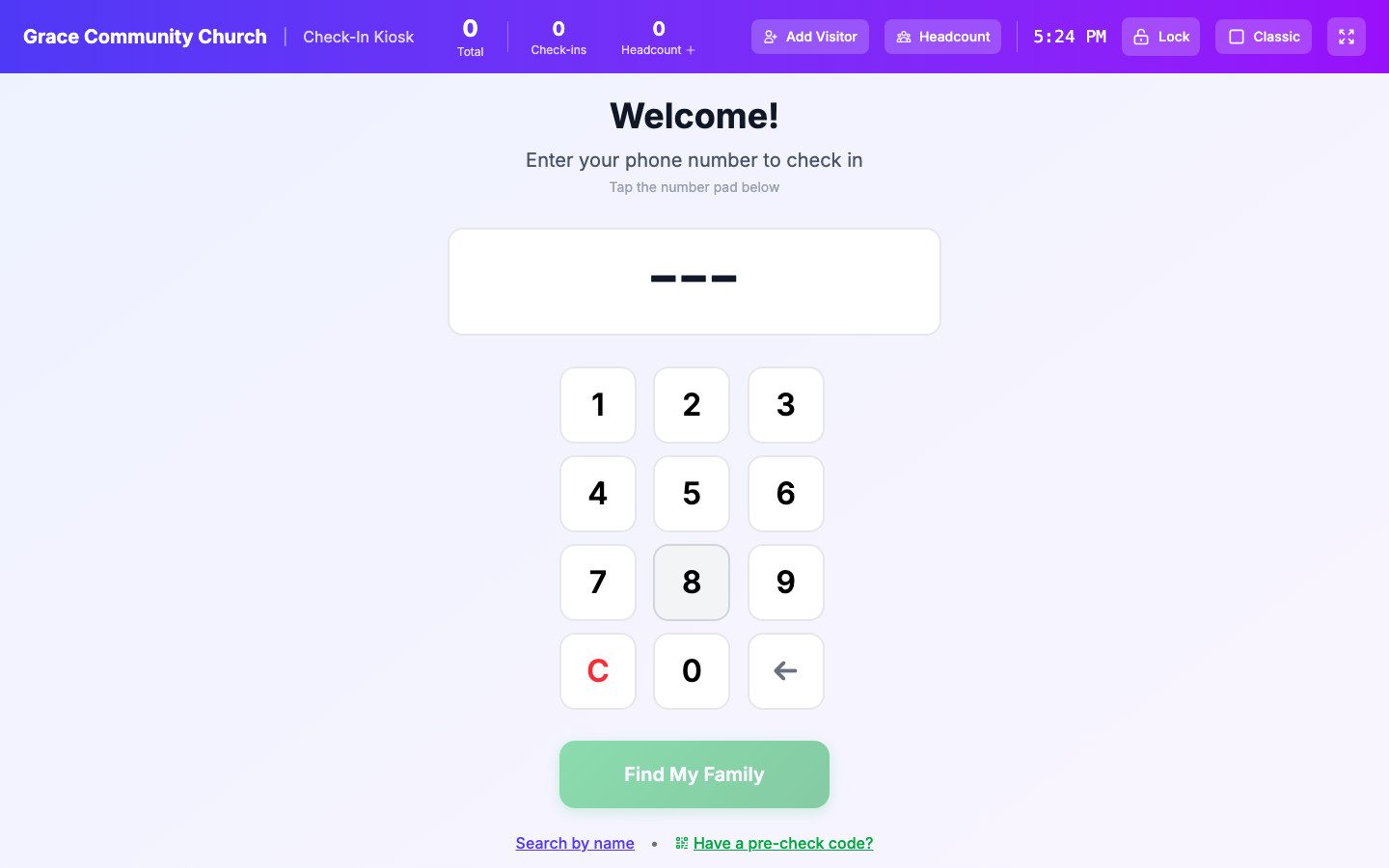
Parents hand you their children every Sunday. TimelyChurch’s check-in system is built so that trust is never casual — every child is accounted for from drop-off to pickup, and only the right person can collect them.
Read more about the full check-in workflow on the Check-In feature page.
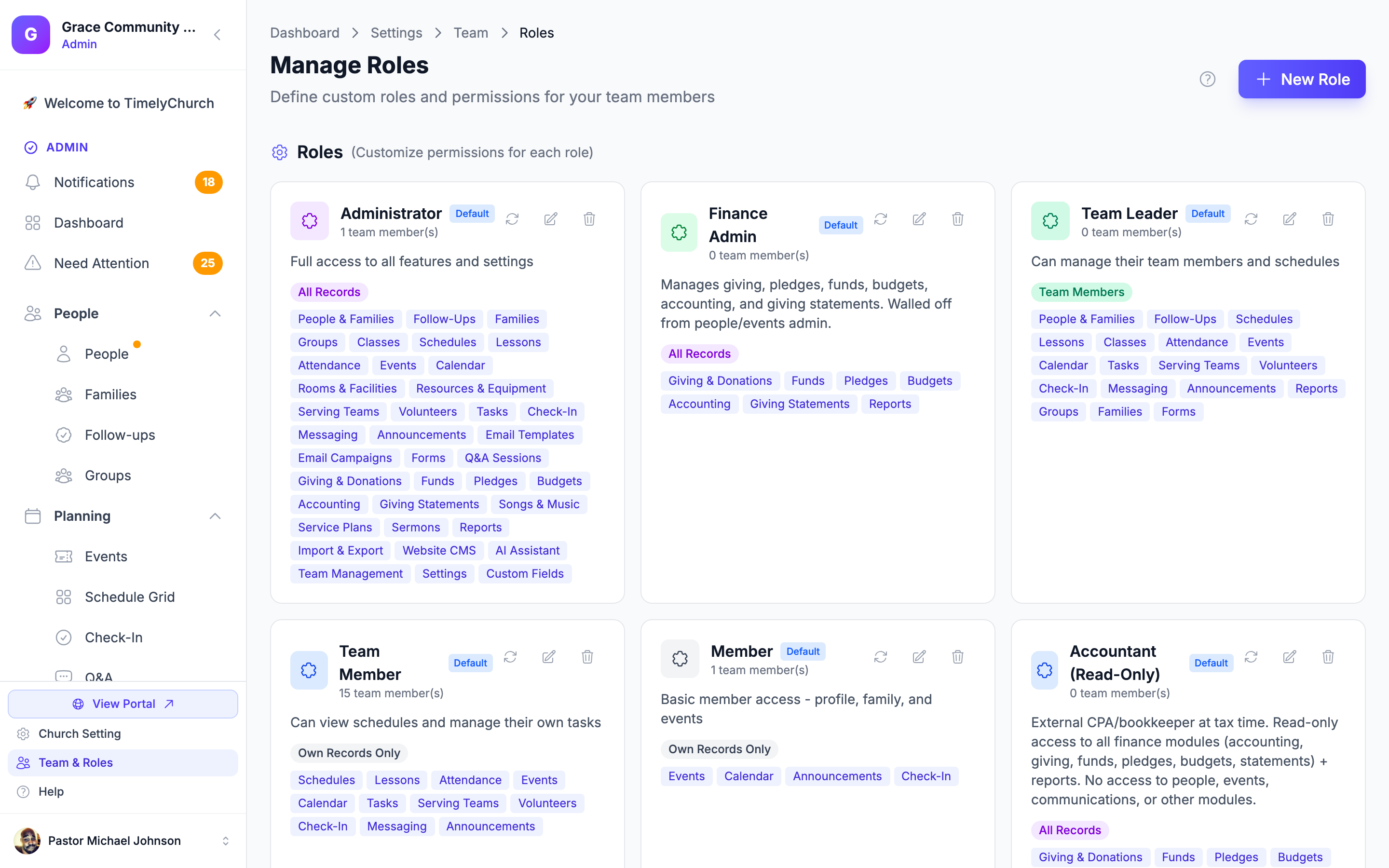
A church runs on volunteers, and volunteers need access — but the sound tech does not need the giving records, and the greeter does not need the pastoral notes. TimelyChurch draws those lines with roles and permissions, not with hoping people don’t click around.
Permissions matter most when leadership changes hands. When a volunteer steps down or a staff member moves on, one role change removes their access — you never have to remember every place they could log in.
Features protect your people; practice protects the features. Here is how the platform itself is built and maintained — stated honestly, without borrowed badges.
In 2026 we ran a comprehensive security audit across every module of the platform — authentication, permissions, people, giving, check-in, and the rest — probing for the ways access rules can fail, and fixing what we found. To be clear about what that is: it was our own engineering audit, not a third-party certification, and we won’t pretend otherwise. Security review is now part of how every change ships.
TimelyChurch is multi-tenant, and every record belongs to exactly one church. Isolation is enforced at the application’s core, on every query — your congregation’s data is never visible to another church, and theirs is never visible to you.
Online giving is processed by Stripe, one of the world’s most trusted payment processors. Card numbers go directly to Stripe and are never stored on — or even pass through — TimelyChurch servers. Stripe charges its standard card processing; TimelyChurch adds no platform fee on top.
Every connection to TimelyChurch uses HTTPS — the admin dashboard, the member portal, check-in kiosks, giving pages, and your church website. There is no unencrypted way to reach your data.
The four questions that come up in almost every board conversation about church software — answered straight.
Only the people your church explicitly gives a role to — and each role only sees the modules it has been granted. Volunteers see their own ministry, not the whole database. The congregation-wide directory is off by default, and even when your church enables it, each member chooses what to share. Children’s contact details are never publicly visible at all.
Yes — and here is the honest version. In 2026 we ran a comprehensive security audit of every module, hunting specifically for permission gaps and access-control failures, and fixed what we found. It was our own thorough engineering audit; we do not currently hold third-party certifications such as SOC 2, and we will not claim credentials we don’t have. If your board wants specifics about our practices, ask us — we would rather answer a hard question than dodge it.
All card payments are processed by Stripe. Card numbers never touch TimelyChurch servers — they go straight to Stripe, which handles them under the strictest payment-industry standards. Inside TimelyChurch, giving records are protected like everything else: visible only to the roles your church grants giving access to, such as your treasurer.
It leaves with you. Your church can export its data, and members can have their personal information deleted on request. Your membership records belong to your church — switching software should be a decision about tools, never a hostage negotiation over data.
Have a question that isn’t here? Ask us directly — or email [email protected].
Try TimelyChurch free with your real workflows, or bring your board’s questions to a demo — we are glad to answer the hard ones.