Worship leaders already know the song. The friction is everything around it: a Word paste that won’t transpose, a chart that spills onto page two when you print, and a ProPresenter file that still has chords sitting on the slides.
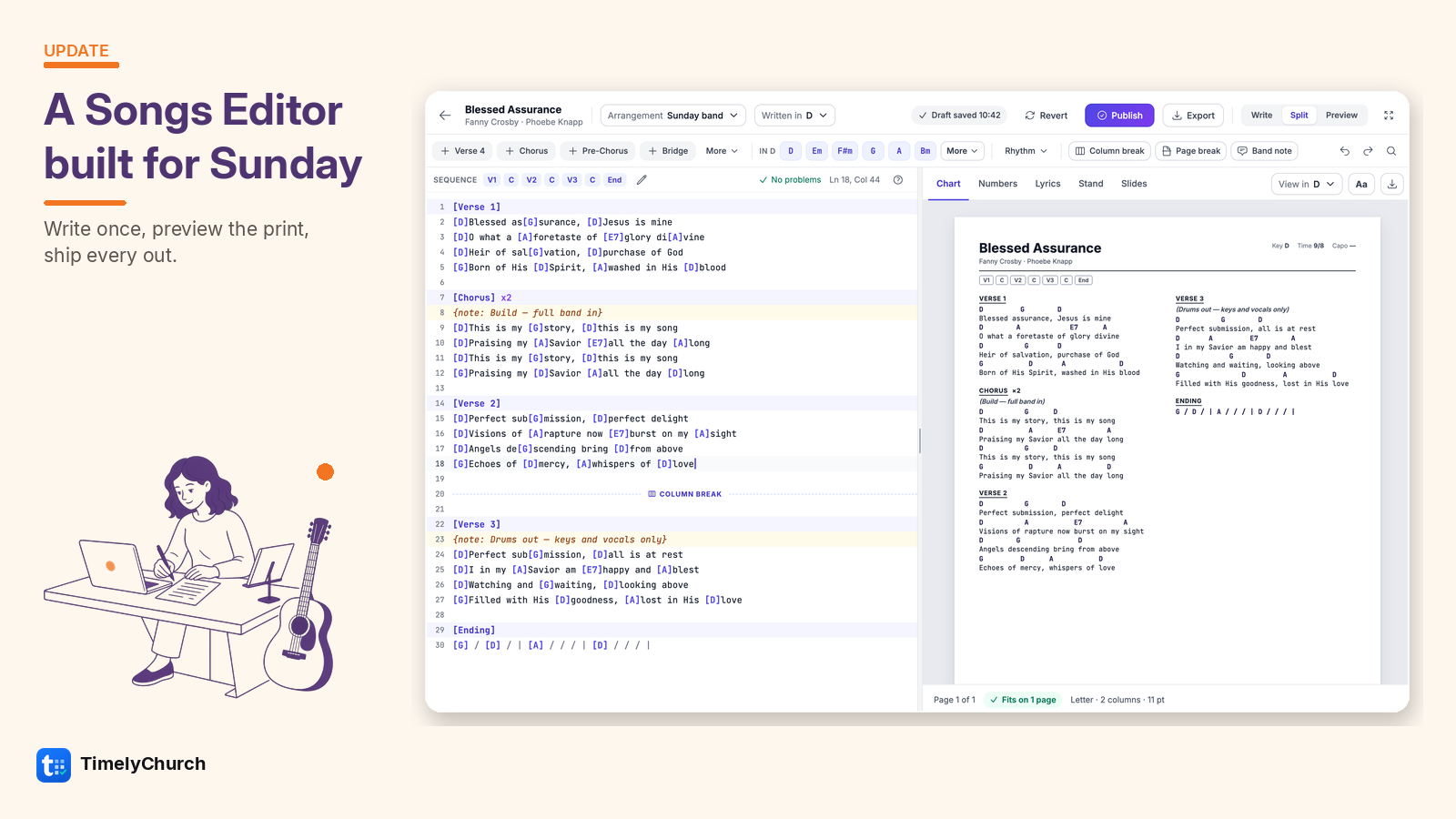
The updated Songs Editor is built for that Sunday workflow write the chart once, see exactly how it prints, and send every out from the same place.
Write, Split, or Preview
Three modes, one chart:
- Write — the editor full-width when you’re drafting sections and placing chords
- Split — editor on the left, live preview on the right
- Preview — the print sheet alone, so you can judge the page before you export
Pick an arrangement and a written key up top. Draft saves as you go. Publish when the band version is ready.
Start the way your chart already exists
New song, empty chart? Choose how you want to start:
- Paste lyrics or a chart from Word, a website, or Planning Center — chords written above the lyrics are converted for you
- Upload a document (PDF or Word) so TimelyChurch can read the sections and chords for review
- Start from a template with a Verse / Chorus sequence ready to fill
- Or just start typing
When pasted chords sit on their own lines above the words, a banner offers Convert one click turns them into inline chords so they transpose and stay on the right syllables.
Sequence the Sunday order
Above the editor, a SEQUENCE strip shows how the song actually runs (V1 · C V2 · C · V3 · C · End). Edit it so the chart, the stand, and the slides follow the same order the band will play — not only the order the sections were typed.
Live print preview that fits the page
The preview isn’t a rough sketch. It’s the sheet:
- Tabs for Chart, Numbers, Lyrics, Stand, and Slides
- Layout status: pages, Letter, columns, type size
- A clear Fits on 1 page signal — or Fit to one page when you’re looking at a two-page spill
- Formatting for this chart (or church defaults): text size, columns, page size, orientation, header and footer toggles
What you see is what prints and what shows on the stand.
One chart, five outs
Switch the preview tab — you don’t rewrite the song:
- Chart — chords above lyrics for the band
- Numbers — Nashville numbers from the same chart
- Lyrics — words only
- Stand — what musicians see on My Stand
- Slides — 16:9 lyric slides for ProPresenter and PowerPoint
On Slides, chords, band notes, and layout breaks never reach the projection. The export is lyrics only, section by section — what your media team actually needs.
Try it
If your worship team is still juggling Word pastes, group-chat PDFs, and a separate slides rebuild, try the Songs Editor in TimelyChurch.
💬 Got an idea, or something bugging you? Share your feedback — it shapes what we build next.
We’re here to help,
The TimelyChurch Team