If your church sings in one language and part of your congregation reads in another, this update is for you.
Add a second language to any song
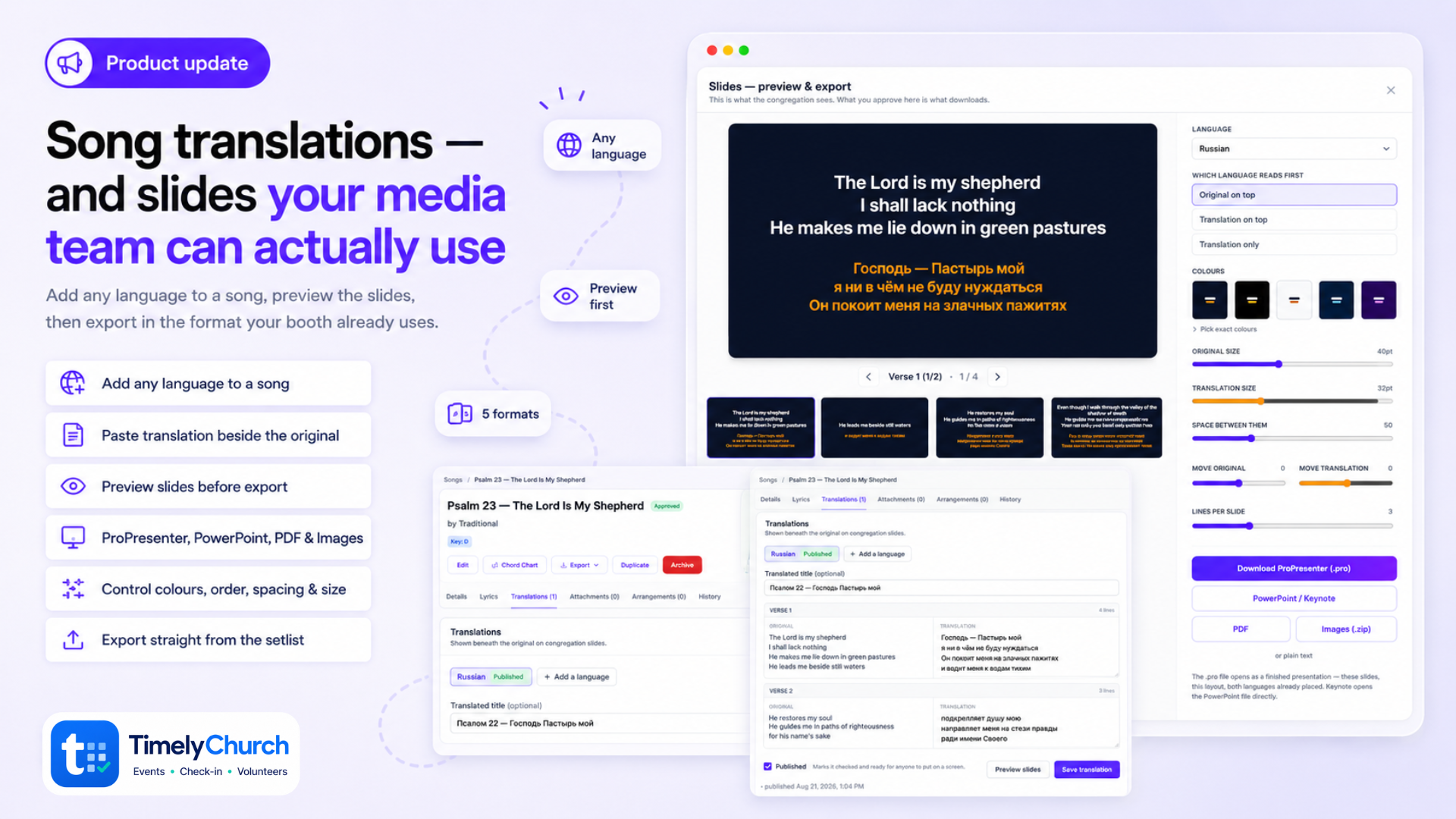
Open a song and you will find a Translations tab. Your own translation team pastes the second language in, section by section, next to the original — the verse on the left, the box to type in on the right. No line-by-line boxes to fight with; people generally have the text already and just want to paste it.
Any language. There is no fixed list. Type Russian, Spanish, Armenian, Farsi, Tagalog — whatever your church needs. Suggestions appear as you type, but they are only suggestions.
A song can hold as many languages as you like, each with its own draft or published state, so Spanish can go live while Ukrainian is still being worked on. Every translation records who started it, who last edited it, and when it was published.
If the song's words change afterwards, we tell you. Edit the chord chart later and any translation written against the old version is flagged for review, rather than quietly showing lines that no longer match.
See the slides before you export them
Every export now runs through one preview. You see the actual slides at full 16:9, and you set how they look:
- Font size for each language, separately
- Space between them — pull the two languages together or apart
- Move each language up or down on its own, for when a camera crop or a logo takes part of the screen
- Lines per slide
- Which language reads first, or translation only
- Colours — five ready-made looks, or pick exact colours to match your brand
Set it once and it applies to the whole song.
It warns you when text will be cut off
ProPresenter does not shrink text that overflows its box — it clips it, live, in front of everyone. So the preview measures every slide and outlines the ones that will not fit. Check them walks you through just those, instead of making you look at all thirty.
Five formats, chosen after you have seen it
- ProPresenter (.pro) — opens as a finished presentation, with both languages already placed. No importing and restyling every week.
- PowerPoint — Keynote opens this file directly, so Mac churches are covered
- PDF — one page per slide, and it doubles as a handout people can read on a phone
- Images (.zip) — one PNG per slide, for anything else you might use
- Plain text
From the setlist too
Each song in a setlist now has an actions menu: open the full song, preview and export its slides, or pull the chord chart PDFs for the band — without leaving the setlist. Removing a song moved in here as well, so it is no longer a bare trash icon one mis-tap away.
Smaller things
- Songs now open on Lyrics instead of Details, because that is why you opened the song.
- The Translations tab shows a count, like Attachments and Arrangements.
- The whole feature is available in English, Spanish, Russian and Portuguese.
Screenshots use Grace Community Church, our demo church. The bilingual example is Psalm 23 — the World English Bible and the 1876 Синодальный перевод, both in the public domain.
💬 Got an idea, or something bugging you? Share your feedback — it shapes what we build next.
We’re here to help,
The TimelyChurch Team