Hi there 👋 — Sunday-morning check-in just got a lot easier.
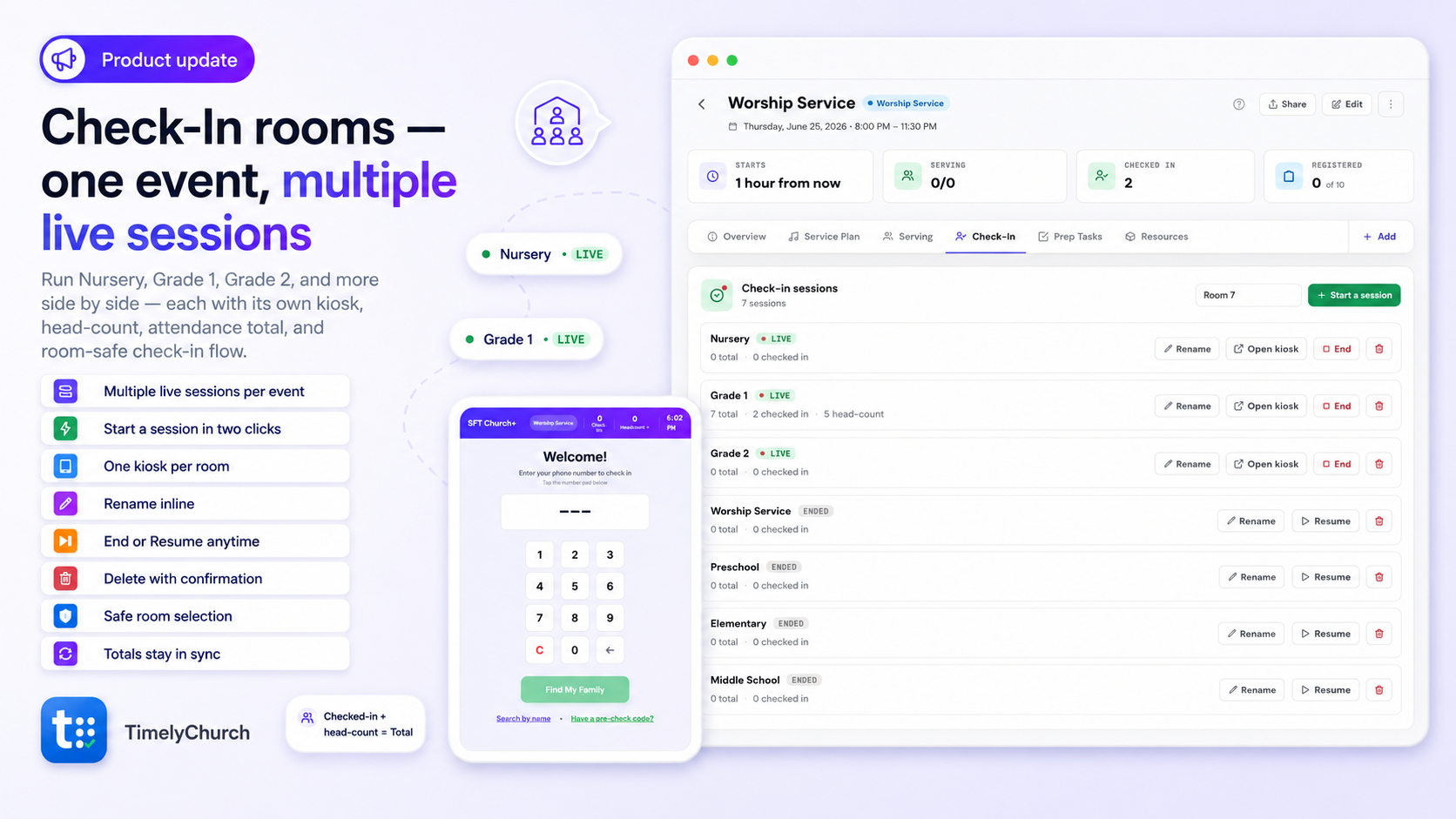
You can now run several named check-in sessions at the same time for one event — one for Nursery, one for Grade 1, one for Grade 2, and as many rooms or classes as your church needs.
Each room gets its own live session, its own kiosk, its own head-count, and its own attendance total. That means your kids’ ministry team can keep every classroom moving without mixing rooms together or guessing where a child belongs.
Before, one event had one check-in flow. That works for simple events, but Sunday mornings are often more detailed than that.
You might have Nursery, Preschool, Grade 1, Grade 2, and Elementary all happening at the same time. Now each one can have its own check-in session while still staying connected to the same event.
So your team can see what is happening clearly, room by room.
What’s new
Multiple live sessions per event
Open one session for each room or class and keep them all running side by side.
Start a room in two clicks
Open the event, go to the Check-In tab, name the room, and start the session. TimelyChurch gives you a smart default like “Room 1,” then lets you rename it to Nursery, Grade 1, Preschool, or whatever fits your ministry.
A kiosk for every room
Each live session has its own self-serve kiosk screen, so every classroom can check families in through the right room.
Clear room rows
Each session shows whether it is Live or Ended, the total attended, checked-in count, and head-count.
Rename anytime
Need to fix a room name? Rename it right from the row.
End without losing data
Ending a session stops check-in for that room, but keeps the attendance record. Need it again? Resume brings it back.
Safer room selection
When more than one room is live, TimelyChurch will not guess where someone belongs. The system asks for the room first, so no child is checked into the wrong place.
Totals stay in sync
A room’s total includes checked-in people plus head-count, and that same number carries through the event, kiosk, and reports.
Built for real Sunday mornings
This update is especially helpful for kids’ ministry teams, classroom check-in, multi-room events, VBS, Sunday school, and any church gathering where different groups need their own attendance flow.
Find it under:
Events → Open an event → Check-In → Start a session
💬 Got an idea, or something bugging you? Share your feedback — it shapes what we build next.
We’re here to help,
The TimelyChurch Team