Hi there 👋
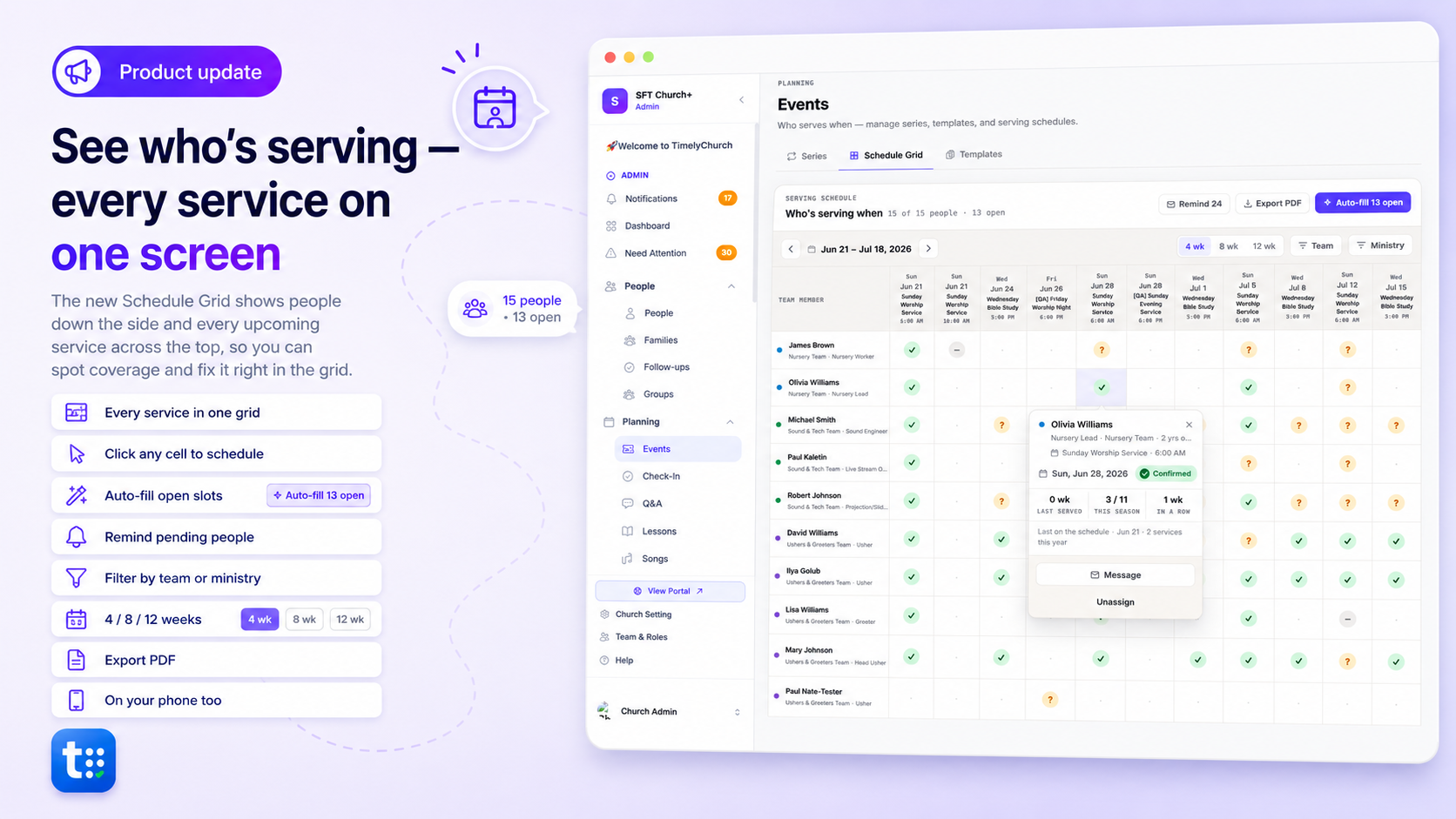
Who's serving this week? And next week? The new Schedule Grid puts your whole rotation on one screen — and lets you fix it without leaving the page.
- The whole picture — team members down the side, serving weeks across the top, each person's status (confirmed / pending / declined) in the cell.
- Click a cell to schedule — invite, confirm, remind, or unassign right from the grid.
- Add anyone to a service — schedule a volunteer on any planned Sunday in their own team role, even before positions are set up.
- Fill the gaps fast — auto-fill open slots, and remind everyone who hasn't replied, in a click.
- Print or PDF — a clean serving sheet for the month.
- Desktop and phone — check the rotation from anywhere.
Find it in Events → Schedule Grid. (We're rolling it out gradually — reply if you'd like it turned on for your church.)
💬 Got an idea or a snag?
👉 Share your feedback — it shapes what we build next.
We're here to help,
The TimelyChurch Team