In a lot of churches there is a person who does this every week. The setlist goes out on Tuesday. By Friday they have opened each song, retyped the lyrics into presentation software, pasted the second language underneath, guessed at the font size, and hoped it fits on the screen. On Sunday they find out whether it did.
We have been talking to churches that sing in one language while part of the congregation reads in another — Russian and English, Spanish and English, Ukrainian, Armenian, Tagalog. The pattern is always the same. The translation usually exists already, in a document somewhere. The work is not translating. The work is getting it onto a screen, correctly, every single week.
So we built the part in the middle.
The translation lives with the song
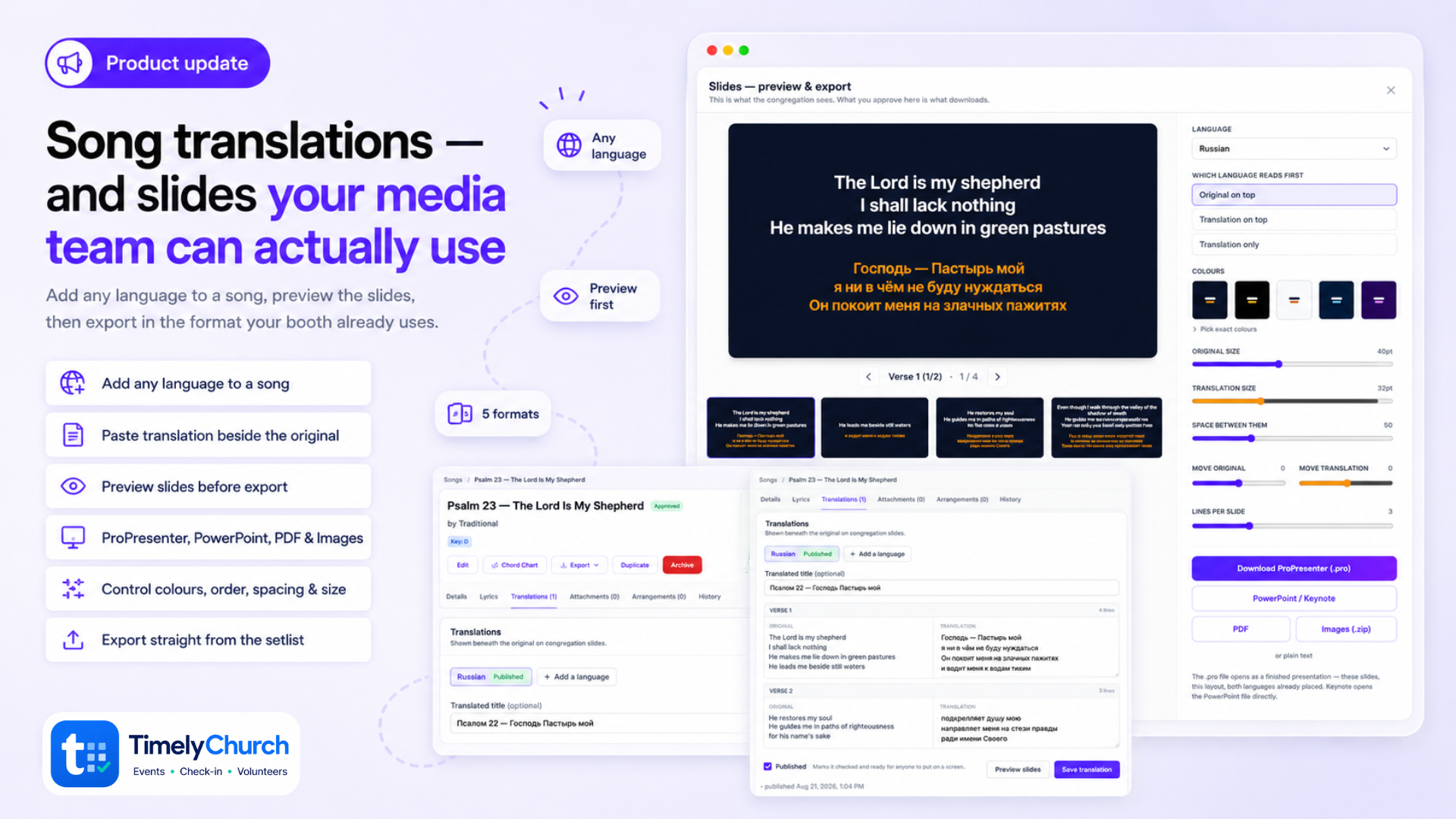
Open a song and there is a Translations tab. Paste the second language in section by section, next to the original. Verse on the left, a box to type in on the right.
We built this the wrong way first. The early version gave you one input per line, which is precise and which nobody wanted to use — people already have the text and just want to paste it. So it is section blocks now, and the pairing is worked out when you save.
Type any language you like. There is no dropdown of approved languages. Armenian, Farsi, Romanian, Swahili — whatever your church actually needs.
A song can carry several languages at once, each with its own draft or published state. Spanish can be in use on Sunday while Ukrainian is still being worked on.
It notices when the song changes
This is the part that makes it trustworthy. If someone edits the chord chart in June, a translation written in March no longer lines up — and the person who wrote it has no way of knowing. So we record the structure a translation was written against, and if the song moves underneath it, the translation is flagged for review. Nothing quietly goes on screen mismatched.
See it before you send it
Every export now goes through one preview showing the real slides at 16:9.
Set the font size for each language separately. Pull the two languages closer together or further apart. Nudge either one up or down on its own — useful when a camera crop or a logo takes part of the screen. Choose how many lines land on each slide, which language reads first, and the colours.
One setting applies to the whole song. You are not doing this slide by slide.
The warning that matters
ProPresenter does not shrink text that overflows its box. It clips it — live, mid-song, in front of everyone. That is a genuinely bad moment and it is invisible until it happens.
So the preview measures every slide against the box it will actually occupy, and outlines the ones that will not fit. A Check them button walks you through only those. If nothing is outlined, nothing will be cut.
Then pick a format
- ProPresenter (.pro) — a finished presentation. Right slides, right split, both languages already placed. Open it and go.
- PowerPoint — and since Keynote opens PowerPoint files directly, Mac churches are covered without a separate format.
- PDF — one page per slide. It also makes a decent bilingual handout for anyone who would rather follow along in their hands.
- Images (.zip) — one picture per slide, for software we have never heard of.
- Plain text.
All five come from the same layout you just approved, so they agree with each other and with what you saw.
From the setlist, too
Sunday morning nobody is browsing the song library. So each song in a setlist now has its own actions menu — open the song, preview and export its slides, or grab the chord chart PDFs for the band — without leaving the setlist.
Where to start
- Open a song and click Translations
- Add a language, type its name, paste your text section by section
- Preview slides, set the sizes and colours once
- Download the format your team uses
If your church has a translation team already, they can work directly in TimelyChurch now, and the media team stops being the bottleneck between them and the screen.
Screenshots in this post use our demo church. The bilingual example is Psalm 23 in the World English Bible alongside the 1876 Синодальный перевод — both public domain.
Ready to try it?
If song translations on one screen (or the rest of church ops in one place) would help, you can start TimelyChurch free — up to 100 people — or begin a 30-day Pro trial. No credit card.